
Dimension#
All the following nodes return an “Odyssey Block Reference Structure” value, which can be connected to any input “Block”.
Resize Uniform#
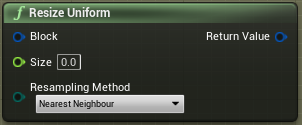
The input “Size” requires a Float value in pixels. Examples:
1 = 1 pixel
150 = 150 pixels
The resize will keep the ratio of your stamp and will not deform it. You can connect it to the node “Get Size”, for instance.
Scale Uniform#
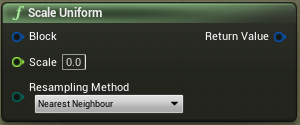
The input “Scale” requires a Float value in normalized percentage. Examples:
0 = 0%
0.5 = 50%
1 = 100%
2 = 200%
This will rescale your stamp, based on its actual size, and it will keep the ratio of your stamp.
Resize#
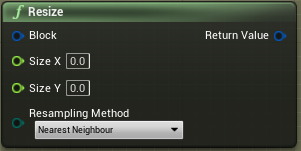
The input Size X and Size Y require a Float value in pixels. Example:
1 = 1 pixel
150 = 150 pixels
This node can be used if you want to deform your stamp and lose its ratio.
Scale XY#
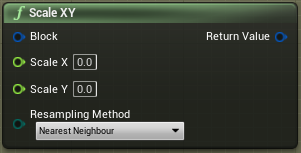
The input Scale X and Scale Y require a Float value in normalized percentage. Examples:
0 = 0%
0.5 = 50%
1 = 100%
2 = 200%
This node can be used if you want to deform your stamp and lose its ratio.